Ink Player: the modern WordPress video player walkthrough
A hands-on review of Ink Player, the WordPress video player built around a media library rather than page embeds. Nine sources, real limits, and who should skip it.

Ink Player is a WordPress video player that treats each video as a reusable library record rather than a page embed. Nine sources, one player, analytics in your own database. Best for course and membership sites, overkill for occasional YouTube embeds. There is no free version.
WordPress stopped being where you keep a brochure and became where the business runs: courses, memberships, checkout, support. Video followed the money. Core ships a video block, and for a clip on an about page that is enough; it stops being enough the moment video is the product rather than the decoration, which is why a small industry grew up solving this and several of them solve it well.
Ink Player is the new one, and I have a complicated reason for writing about it. Disclosure: Sumon Chandra Sarker, who builds it, and I overlapped about four years at WPManageNinja, and we have done business in other contexts. I tested a pre-release build at his request. Nothing here was paid for, I am not an affiliate, and there are no affiliate links on this page. So yes, I know the man: weigh the praise accordingly, and treat the criticism as the part I had no reason to write.
What is Ink Player?
A WordPress video player with a media library attached: one branded player for video and audio, plus a place to manage everything it plays. It is not a video host. Your files stay on your server, on YouTube or Vimeo, or with a provider like Bunny, Mux or Cloudflare.
Most video plugins treat a video as a thing you put on a page. Ink Player treats it as a thing you own and point at. The same video on a lesson, a sales page and a landing page is one record instead of three embeds, so changing the source or the access rules changes all three at once.
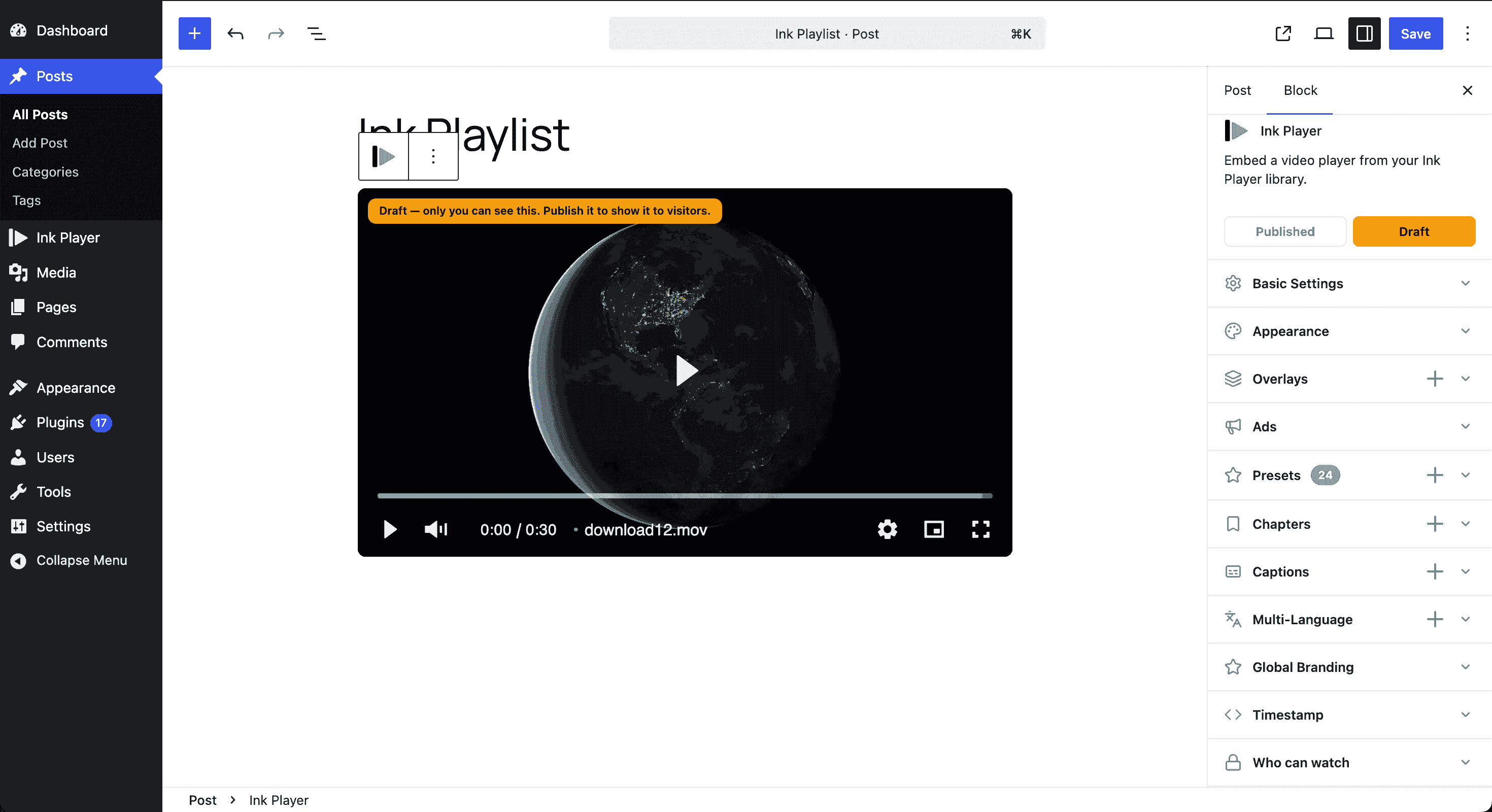
Everything in that inspector belongs to the record, not the page. That is why the long provider list matters: video hosting decisions age badly. You start on YouTube because it is free, move to Vimeo when you want the branding gone, and move again when the bandwidth bill arrives. Normally each move means touching every page. Here it is one change in one place.
It needs WordPress 6.0 and PHP 8.0 or later, and the admin behaves more like a web app than a settings page. The short version of the specification:
| What it is | WordPress video and audio player, built around a media library |
| Requires | WordPress 6.0 or later, PHP 8.0 or later |
| Analytics | Stored in your own WordPress database |
| Free version | None. 30 day refund policy instead |
| Tested | Version 1.0.2, a pre-release build, September 2026 |
| Best for | Course sellers, membership sites, large video libraries |
How I tested it
On a real install rather than a feature list: creating media items, placing them in different contexts, pulling from different sources, building overlays, setting access rules, watching what the analytics recorded.
Where I put my hands on something, I say so. Where I am relying on their documentation, I say that too. That distinction matters most around security, which is where reviews tend to repeat a vendor’s claim as though checking it and believing it were the same act.
What you get
Grouped, with their documentation linked rather than reproduced.
Library and placement
- Media library — one editable record per video, with draft and published states
- Playlists — ordered collections, drag and drop
- Blocks — four, video and audio, single and playlist
- Shortcodes — media, playlists, sharing, clickable timestamps
- Page builders — Elementor and Beaver Builder modules
- Sharing — public links and embed codes for other domains
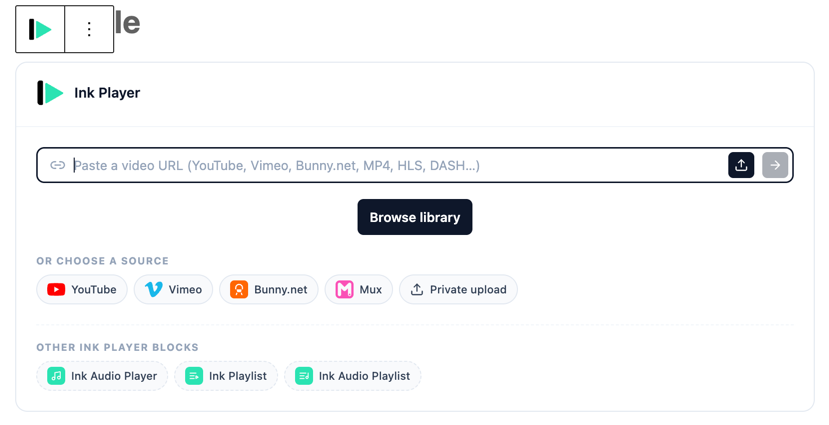
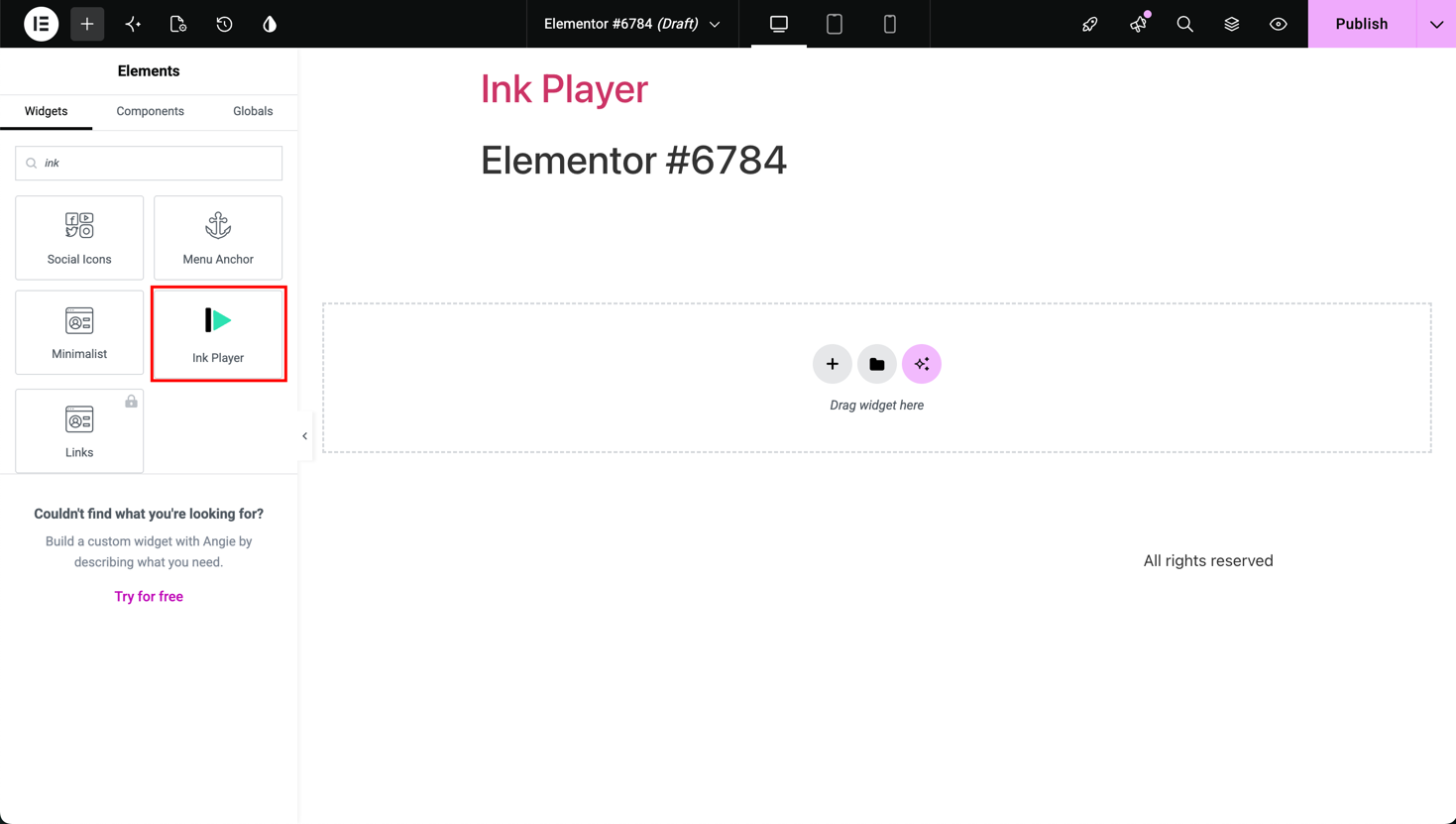
Every route points back at the same record. That matters if you have ever had a video plugin behave perfectly in the block editor and fall apart inside a page builder. One note: their pricing page advertises a fifth shortcode, [inkplayer id="..."], which the plugin does not register.
Playback. Nine sources, all running through the same player.
| Source | Type | What it is |
|---|---|---|
| Local | Self-hosted | A file uploaded to your WordPress site |
| Remote | Direct URL | Any direct link — MP4, HLS, DASH, or audio |
| YouTube | Platform | A YouTube video |
| Vimeo | Platform | A Vimeo video |
| Bunny.net Stream | Streaming | Video hosted on Bunny.net Stream |
| Bunny Storage | Storage | A file on Bunny.net’s classic storage |
| Mux | Streaming | Video hosted on Mux |
| Cloudflare Stream | Streaming | Adaptive HLS on Cloudflare Stream |
| Cloudflare R2 | Storage | A file in a Cloudflare R2 bucket |
- Multi-language — alternate spoken-language versions, switchable mid-play
- Branding — logo watermark, brand colour, custom CSS and JS
- Presets — one saved configuration across a whole library
Conversion and control
- Overlays — calls to action, email capture, hotspots, banners, all timed
- Leads — addresses into Mailchimp, MailerLite, ActiveCampaign, FluentCRM or a webhook
- Ads — pre-roll, mid-roll, post-roll, custom video or VAST
- Access control — public, logged-in, or password, with the caveat below
- Analytics — views, watch time, completion, retention, written to your own database. I went looking for an endpoint phoning home and did not find one
- Integrations — fifteen documented, Bunny and Mux through to WooCommerce and Google Analytics
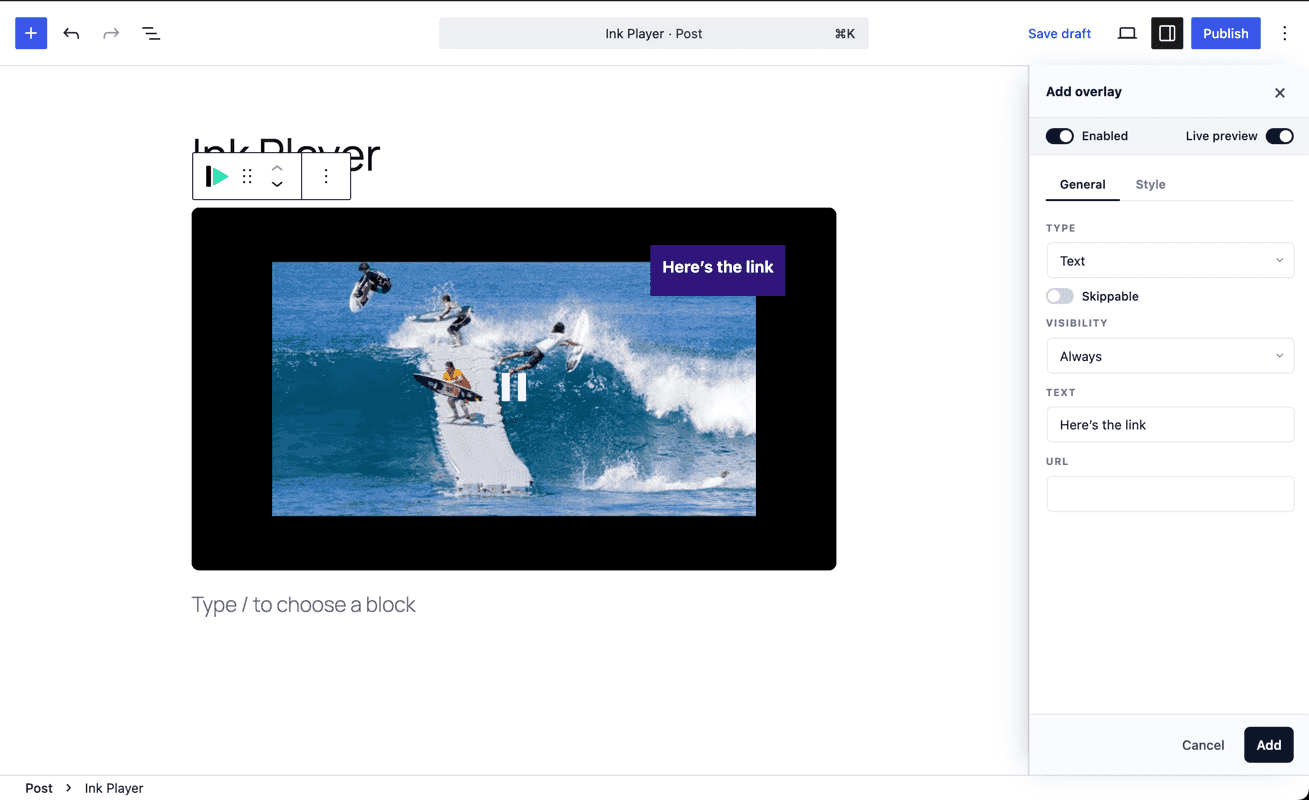
Overlays are the commercially interesting part. You can ask for an email address partway through a video rather than in front of it, and someone already watching has a reason to hand one over that someone looking at a form does not.
Two things I did not expect to find
Access control, with one condition. Media can be public, logged-in only, or password protected, and what that protects depends on where the file lives. Through Bunny, Mux or Cloudflare you get signed playback: the URL is tokenised and expires. Put the same file in the WordPress media library, or embed it from YouTube or Vimeo, and it stays reachable to anyone holding the URL. Their documentation says so under “Enforcement support” — enforceable for Bunny.net, Mux and protected uploads, and other providers “may not enforce these restrictions at the source.”
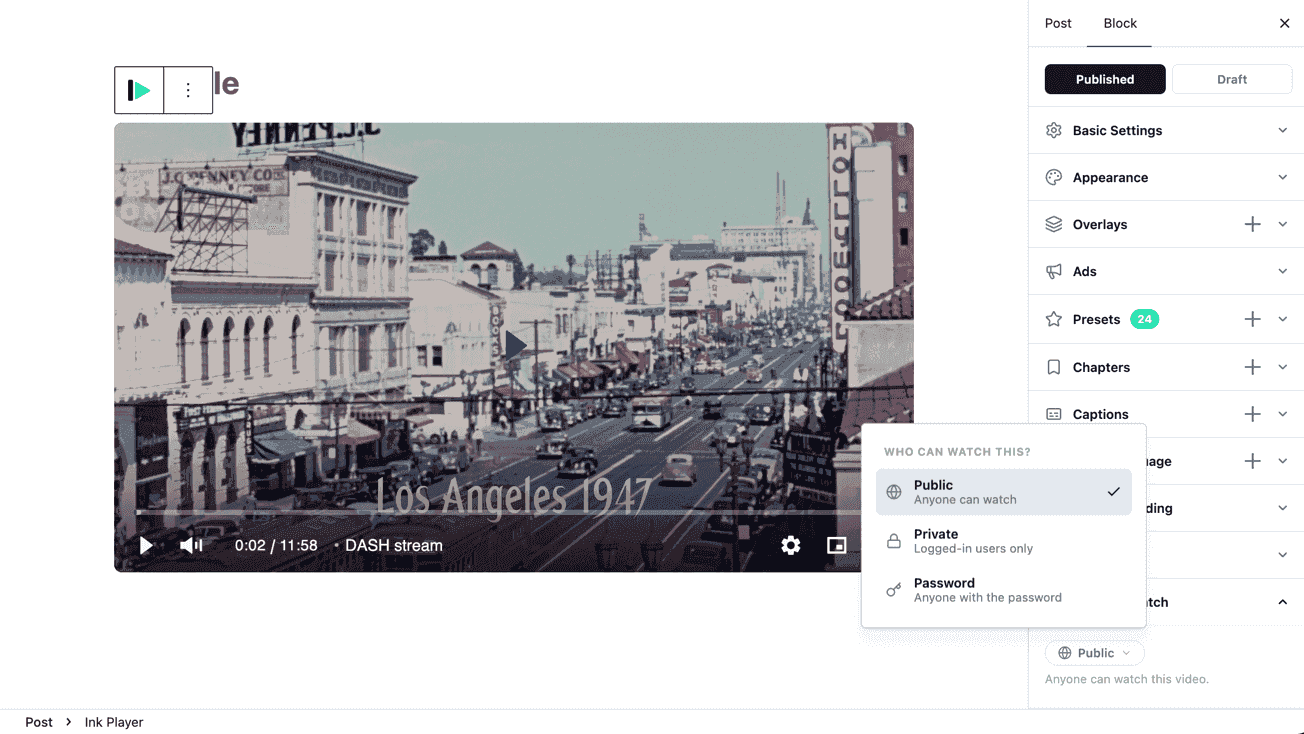
Protecting the page is not protecting the file. If you are selling a course, that means budgeting for video infrastructure alongside the licence. This is not a mark against Ink Player. It is the most common misunderstanding about protected media anywhere, and they document it more plainly than most would. Getting it almost right is a common way early products lose: a gate that looks locked is worse than one that plainly is not.
Multi-language audio. Attach alternate spoken-language versions of one video, and a viewer switching keeps roughly their position instead of restarting. The docs say “where possible,” and are right to: the versions have to be genuinely parallel cuts. A real reason to look if you publish in more than one language, and a content commitment rather than a setting.
Where I would push back
No free version. In a category where most people want to try a plugin on one video first. Presto Player, the best-known free WordPress video player, has over 100,000 active installations and a 4.8 rating on wordpress.org. Worth being precise about what that free tier buys, though: analytics and private video are both paid features there too. A refund policy does that job at Ink Player instead.
Migration is a project, not an import. The tooling brings your media across; it does not rewrite your pages. The question is not how long the import takes, it is how long it takes to replace every placement. Ten videos is an afternoon. Two hundred lessons belongs in the plan before the licence does.
The community is new. No forum threads, no tutorials, nobody who hit your problem two years ago and wrote it up. At eleven at night you have the docs and the support queue. The docs are better than most, but that is not an ecosystem. They also cannot tell you whether the plugin keeps working across the WordPress and PHP versions you do not control, which is a discipline of its own.
A lifetime licence is a bet on the vendor. There is an annual option, which is the one to take if you are unsure. Read the terms either way: the refund page doubles as the terms of service and calls the products subscriptions with automatic renewal, on a site whose headline offer is lifetime. That gap between what a licence is called and what it does is most of what I write about.
The feature surface is wide for a product this young. Useful when you need several of those things, and a reason not to assume every corner has the same depth.
Who should buy it, and who should not
Buy it if video is how your business makes money, you have enough of it that managing it has become a job, and you want to change video infrastructure later without rebuilding your site. Course sellers, membership sites, anyone running a real library.
Skip it if you embed a handful of YouTube clips a year. The WordPress video player you want in that case is the free one. You do not need a media library architecture, access control or conversion overlays, and the best feature is the one that solves a problem you actually have.
The verdict
The library model is the best idea in it. The source abstraction is the part still paying off in three years, and keeping retention data in your own database is the strongest argument for owning more of the video experience yourself.
What it does not have yet is time. None of the above tells you how it behaves in eighteen months on a site you cannot take offline, which is the part I usually care about most. If you are considering it, read the documentation rather than the features page: it is more specific, and specificity is the honest signal.
4.5 out of 5. This reflects version 1.0.2 and the documentation as they stood in September 2026. Both can change.
“I’ve really liked Ink Player and how simple it makes managing videos on WordPress. It’s a great choice if you have courses, memberships, or a growing video library and want everything in one place. Highly recommended if video is an important part of your website.”
FAQ
A WordPress video player with a media library attached. Each video is added once as a record and referenced from pages by a block, shortcode or page builder, so editing the record updates every placement. It requires WordPress 6.0 and PHP 8.0 or later.
Nine, per their providers page: a local WordPress file, any direct URL, YouTube, Vimeo, Bunny.net Stream, Bunny Storage, Mux, Cloudflare Stream and Cloudflare R2. The source belongs to the media record, so rehosting a file does not mean editing pages.
Yes, but the strength depends on the source. A protected page is not a protected file. Signed, expiring URLs apply to Bunny, Mux and Cloudflare; a file from the WordPress media library or embedded from YouTube or Vimeo stays reachable to anyone holding the URL. For serious protection, pick a provider that enforces access at the delivery layer.
No. That is its biggest practical difference from the alternatives: Presto Player has a free tier on wordpress.org with over 100,000 active installations. Ink Player offers a 30 day refund policy instead.
The tooling brings your media across, but it does not rewrite your pages, so migration is a project rather than an import. Budget by the number of placements you have to replace, not the number of videos you have. Ten videos is an afternoon; two hundred lessons is scheduled work.